Must-Have Utility Apps Every FireStick User Needs 2026
Must-Have Utility Apps Every FireStick Power User Needs
Essential tools to unlock, optimize, and fully control your Amazon FireStick
The default FireStick experience is good – but with the right utility apps it becomes exceptional. These tools let you sideload apps, manage files, kill background processes, block ads, cast screens, and completely customize your home screen.
Sideloading & Installation Tools
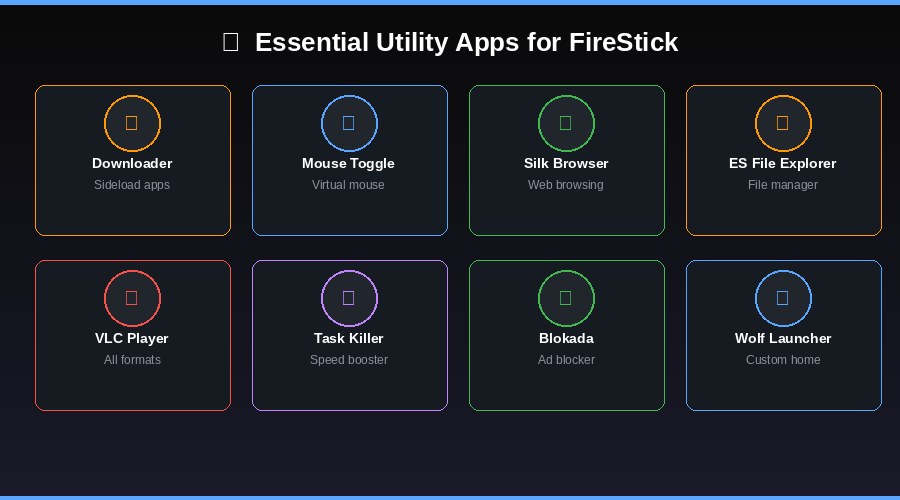
DownloaderFree
Downloader is the single most important utility for FireStick users. It lets you install any APK directly by entering a URL or a Downloader code. It also functions as a lightweight web browser. Without this app, sideloading anything on FireStick is nearly impossible.
Mouse ToggleFree
Mouse Toggle places a virtual mouse cursor on your FireStick screen that you control with the remote navigation keys. This is essential for running touch-based Android apps that were not designed for remote control.
File & Storage Management
ES File ExplorerFree
ES File Explorer gives you full control over your FireStick internal storage. Browse, move, copy, and delete files. Transfer files over Wi-Fi, FTP, or Bluetooth. It also lets you install APK files directly from the file manager.
Task KillerFree
Task Killer is a lightweight performance optimizer that closes all background apps in one tap. It shows active processes and available RAM, and includes an ignore list so you can protect specific apps from being closed.
Privacy & Security Tools
BlokadaFree
Blokada is a free, open-source ad blocker that works system-wide on FireStick. It blocks ads and pop-ups across all apps, not just browsers. It also blocks tracking scripts and malware domains. No root access required.
Media Playback & Casting
VLC Media PlayerFree
VLC is the most versatile media player available. It plays virtually every video and audio format including MKV, AVI, MP4, and subtitles. It also supports streaming from local network shares and online URLs.
Video & TV CastFree
Cast your Android or iOS device screen to your FireStick using Video & TV Cast. It includes a built-in browser and media player for streaming video content from your phone directly onto your TV.
Home Screen Customization
Wolf LauncherFree
Wolf Launcher replaces the cluttered default FireStick home screen with a clean, fully customizable launcher. Remove sponsored content and ads, organize apps into folders, and hide apps you never use. Must be sideloaded via Downloader.